Field change triggers on related records
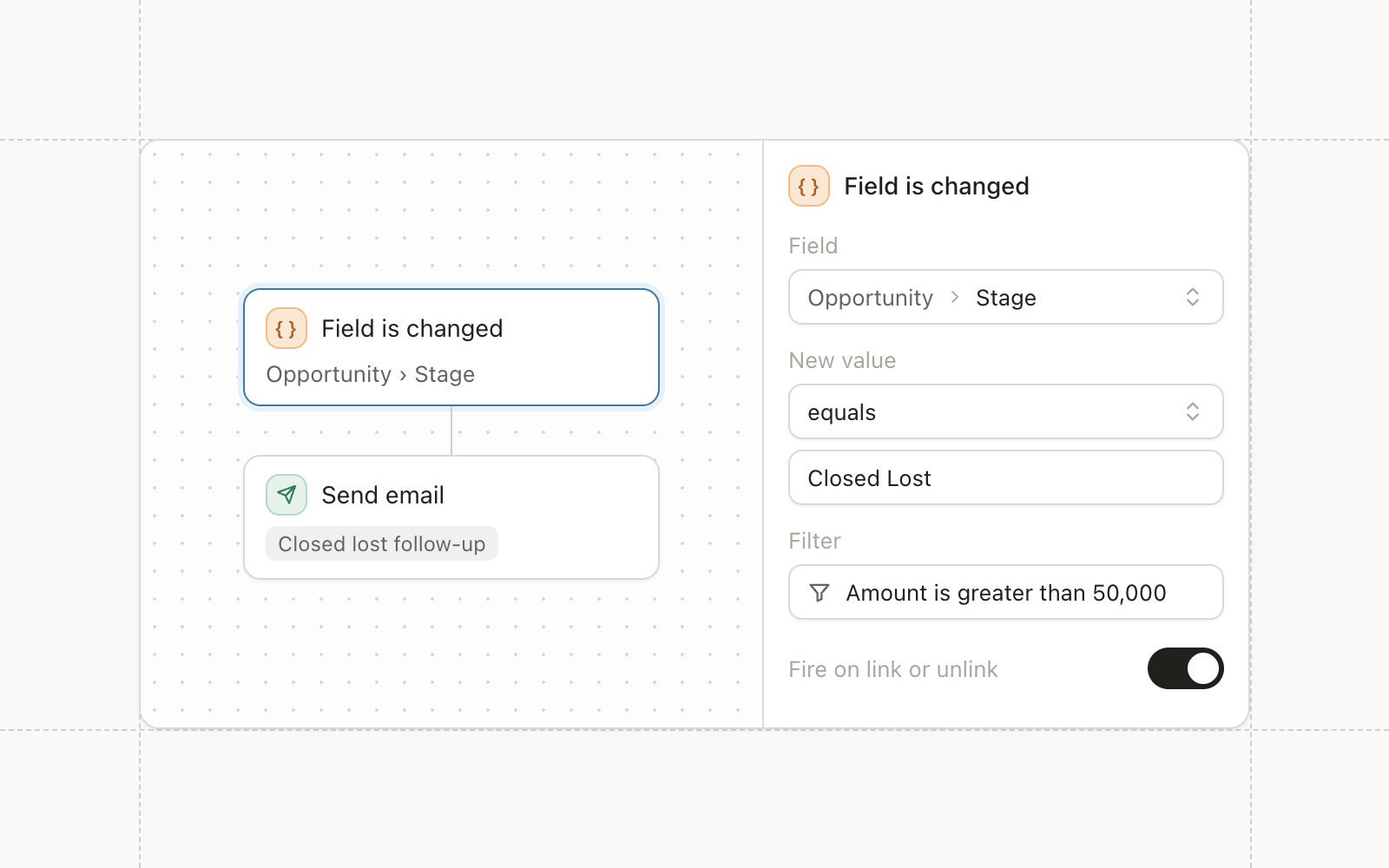
The Field is changed trigger used to watch only the record the workflow runs on. Now it can watch a field on a related record, or the moment a relationship is linked or unlinked, with filters at each hop. A contact workflow can fire when their opportunity moves stage, or when they get attached to a new account, without a scheduled job stitching the two together.
This works in any workspace with custom objects turned on.
Campaign fields
Custom campaigns and webinars can carry their own fields now, defined once in Settings under Campaigns. Examples include budget owner, region, or agency. Syncing these fields to the Salesforce Campaign object is the next piece.
A shorter node menu
The True/False, Fire webhook, and legacy Salesforce nodes are removed from the add-action menu. Use IF/ELSE and HTTP request instead. Existing workflows that use the old nodes keep running.
Improvements
- Automations The HTTP request body has an Expand button for a full-screen editor, and the email HTML editor has a Format button.
- Agents Agents can build workflows that start from the API is called trigger.
- Agents Agents can look at an email as a rendered image, so they can check layout before returning it.
- Agents Agents can create, update, and delete custom objects and records, with approval required before a change lands.
- Audiences Engagement conditions accept a fixed date range as well as a rolling window.
- Reporting Workflow node error metrics load faster.
Fixes
- Forms Sorting and date filtering by the Submitted column on a form’s submissions table no longer errors.
- CRM Sync One oversized company or opportunity record no longer drops an entire sync batch.