Four member roles, and Salesforce sync controls
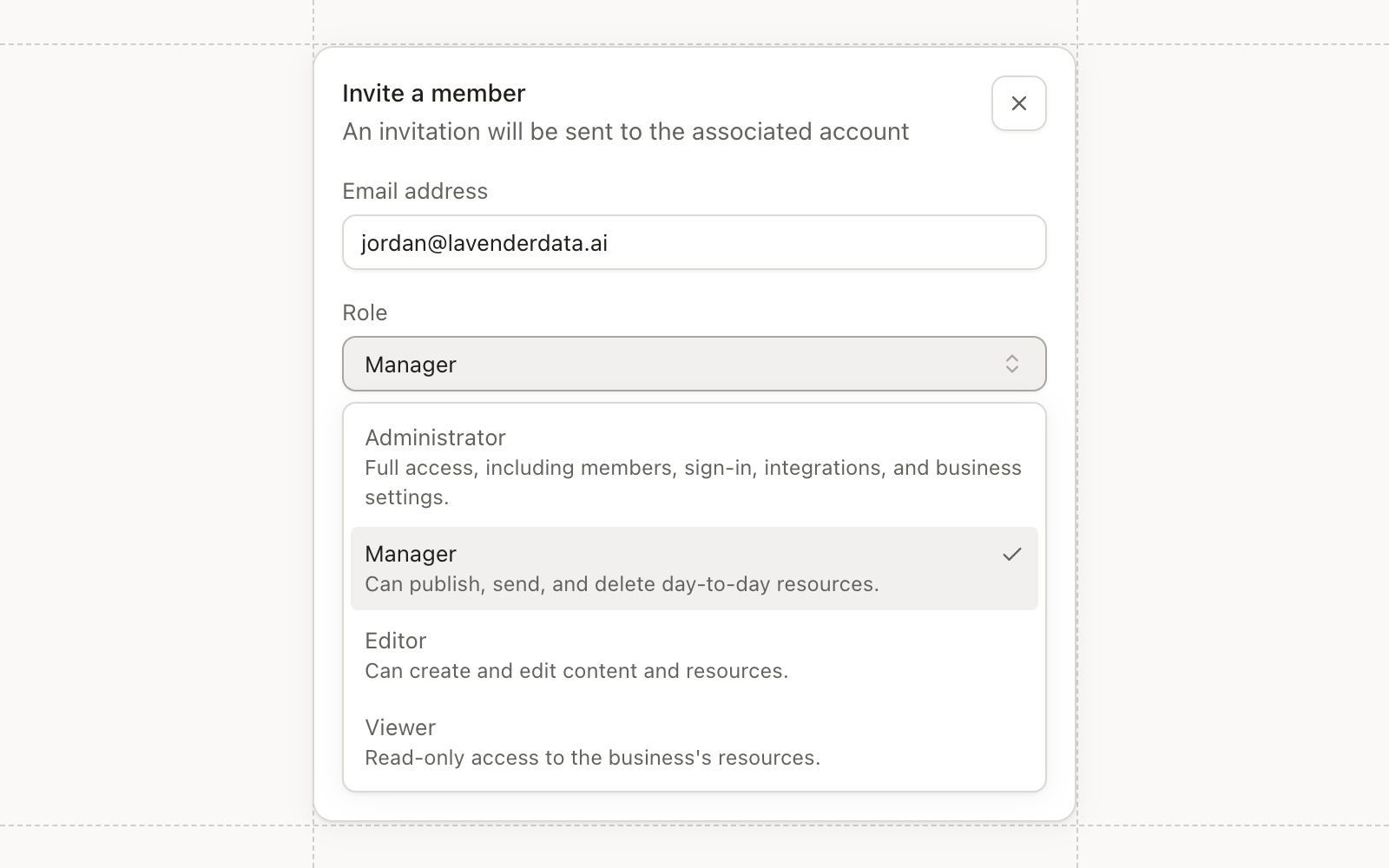
Workspace members now have four roles instead of two: Administrator, Manager, Editor, and Viewer. Each role includes everything below it.
Viewers can see the workspace. Editors create and edit assets. Managers can also delete, send blasts, publish, and activate workflows. Administrators manage members, teams, sign-in, integrations, and API keys.
Pause Salesforce sync, and keep records out
Administrators can pause reading from Salesforce in syncing settings and turn it back on later. While paused, Conversion keeps writing to Salesforce and stops reading from it, and the confirmation dialog says so.
Each object’s settings list every Salesforce object it links to. Pick a checkbox field on any of them, such as Do Not Sync, and records with that box checked stay out of sync in both directions.
Databricks
Databricks connects from settings with a service principal. Browse your Unity Catalog tables and views in the SQL editor, build the query, and sync contacts, custom objects, and events on a schedule, the same way you would from Snowflake or BigQuery.
Users and Queues
New Users and Queues pages in settings list your synced Salesforce users and queues, with how many contacts each one owns. Assign Owner and Sync Contact nodes can pick an owner directly: the integration user, a user, or a queue.
Improvements
- Admin Security settings show sign-in methods in one place. Add or change a password and link Google, and if your workspace uses SSO you can see whether this session signed in through it.
- Admin SSO, MFA, and SAML changes are limited to Administrators, and passwords get a length requirement and a warning when one appears in a known breach.
- Admin New assets can be created at the workspace root, and Administrators can set a default folder for new assets.
- Automations Campaign member nodes can target field events, so a workflow can add a contact to a dinner, set their status, or remove them.
- Automations The Update subscription status node offers Unsubscribed alongside Subscribed and no status.
- Reporting Attribution Channels, Campaigns, and Overview tables split by goal, and the campaign class view has a No Campaign row so totals reconcile.
- Integrations Contacts registered in Conversion for a Zoom Events webinar get their Zoom Events ticket and confirmation email.
- Integrations Attentive events match contacts by email or phone in a set order, across phone formats.
- Email Email domain DNS records open in a wide dialog with every value in full and a Copy all button.
Fixes
- Automations Duplicate source events no longer start duplicate workflow runs.
- Email The View in browser link in sent emails opens the email for recipients.
- CRM Sync The Salesforce error for a campaign that is already linked names the record that holds it.
- Agents A new agent chat stays visible while its session starts.