
Key takeaways
Marketo is still a powerful MAP, but a lot of MOps teams are hitting its limits: a Salesforce sync that only goes both ways for leads and contacts, warehouse data you can’t reach without reverse ETL, and AI that only covers a handful of tasks. The best Marketo alternative for most enterprise B2B teams is Conversion, the agentic marketing automation platform. It nails the basics with a robust two-way Salesforce sync and every core MAP feature you rely on today, then goes further. Your warehouse data lives as first-class objects, and AI agents do the work on top of it, including an agent on every account. Teams report a 75% reduction in MOps time on recurring work, and the average Marketo migration takes about four weeks. Here’s how the full list breaks down:
- Conversion: best for AI-native enterprise teams on Salesforce. A robust Salesforce sync, warehouse data as first-class objects, and agents (including an agent for every account) that build and run campaigns with your team approving the work.
- Salesforce Account Engagement (Pardot): best for teams fully committed to the Salesforce platform. A native connector and simpler scoring and routing, as long as you’re ready to pay for the upper editions and Data 360.
- HubSpot Marketing Hub Enterprise: best for teams that want an all-in-one CRM. Fast to learn and packed with new AI, but built around HubSpot as the CRM, not Salesforce.
- Oracle Eloqua: best for large, governance-heavy programs. Deep controls for big regulated teams, but a slow incumbent on AI and newer workflows.
- Microsoft Dynamics 365 Customer Insights – Journeys: best for Dynamics 365 Sales orgs. Strong on the customer data side, a hard fit if your sellers live in Salesforce.
- Braze: best for product-led, cross-channel messaging. Great warehouse ingestion and mobile messaging, weak on Salesforce and lead-to-account workflows.
- Customer.io: best for event-driven lifecycle messaging. Built for product-led teams triggering off behavior, not for complex B2B Salesforce logic.
How to think about a Marketo alternative
When you’re figuring out the best Marketo alternative, there are a lot of different criteria you should be judging each one on. There’s the core basics: does it have the functionality you actually need in a core MAP? That means a robust sync to your CRM, campaign member syncing, campaign objects, landing pages, and all of the core functionality you’d expect from a MAP.
After that, there’s a lot of new criteria folks are using to decide on their next tool. AI agents, automating work, and brand-new concepts like an agent per account, where you can automate a ton of work at scale. A lot of this work is being reinvented in real time, so when you think about a Marketo alternative, it’s really a two-pronged approach:
- The basics: the core MAP functionality your team can’t run without.
- The new stuff: AI, agents, and how much of your team’s work the platform can actually take on.
What your business sells and what your core go-to-market motion looks like is another lens on what you should replace Marketo with. For example, if customer data is really important to you and you pull a lot of it from external places like a data warehouse, you need a way to get it in without reverse ETL. That looks very different than a sales-heavy motion where you want to activate across individual accounts and do complex ABM-type work. How robust you need to be also matters. Do you prioritize ease of use and core functionality, or do you prioritize having integrations to every single tool on the planet?
This guide breaks all of that down below, comparing Marketo alternatives on what folks are actually evaluating: Salesforce sync, AI, data models, and pricing. Spoiler: if you’re on Salesforce and you care about both the basics and the new stuff, that’s exactly what Conversion was built for. We’ll start with this table so you can see everything side by side.
Marketo alternatives at a glance
We checked pricing and feature status against vendor pages in September 2026, so confirm current terms before you budget.
What to compare when you replace Marketo
Before you look at any tool, really think about what’s limiting your team today and causing you to consider making the switch. That’s where you’ll see the biggest gains, and it’s how you build a kind of pseudo-RFP to decide what actually matters.
These are the things we see come up most often:
- Salesforce/CRM/custom objects: This is a big one. Leads and contacts are only part of the picture. Accounts, opportunities, contact roles, and custom objects are where most of the interesting B2B work happens, and they’re where teams feel Marketo’s limits first.
- Marketo sync: One of the biggest frustrations with Marketo is that its sync is bidirectional only for leads, contacts, and Salesforce campaigns. Accounts, opportunities, and custom objects come in one way, so teams end up building hacky workarounds to act on them. Adobe also notes that synced custom objects can’t be used in Smart Campaign triggers, only as filters.
- Modeling your custom data: A lot of the best marketing teams aren’t only working with the static, rigid fields in their CRM. They’re bringing in product, usage, and billing data from Snowflake, BigQuery, Databricks, and more. Marketo is built to play nice with the Adobe ecosystem, not the modern data tooling most teams use today. Its documentation doesn’t describe a native warehouse connector, and the Adobe route runs through Adobe Experience Platform, which means buying a second Adobe product.
- Data model: Even inside Marketo, native custom objects top out at 10 object types with 50 fields each, and not every subscription includes them. Representing account hierarchies or multi-product relationships turns into workarounds on top of workarounds.
- AI: In 2026, folks are rethinking how MOps is done from scratch. You want a clear picture of how much of your work a platform can automate, and which team has the best roadmap for net new AI features.
Some folks will make the counterpoint that Adobe just made Coworker for Marketo Engage generally available. It’s a real step, but there are still a lot of limits on what it can do. Its build programs skill works by cloning an existing program template, the Smart Campaign logic may still need manual cleanup, and it can’t access your existing audience lists automatically. Adobe is also packaging its newest AI-first features into separate products, Marketo Optimizer and Marketo Qualifier. So “Marketo has no AI” isn’t the reason to leave anymore. The real question is what each platform’s AI can see, and what it’s actually allowed to do.
The best Marketo alternatives
1. Conversion: best for AI-native teams that want a robust Salesforce sync and an agentic future
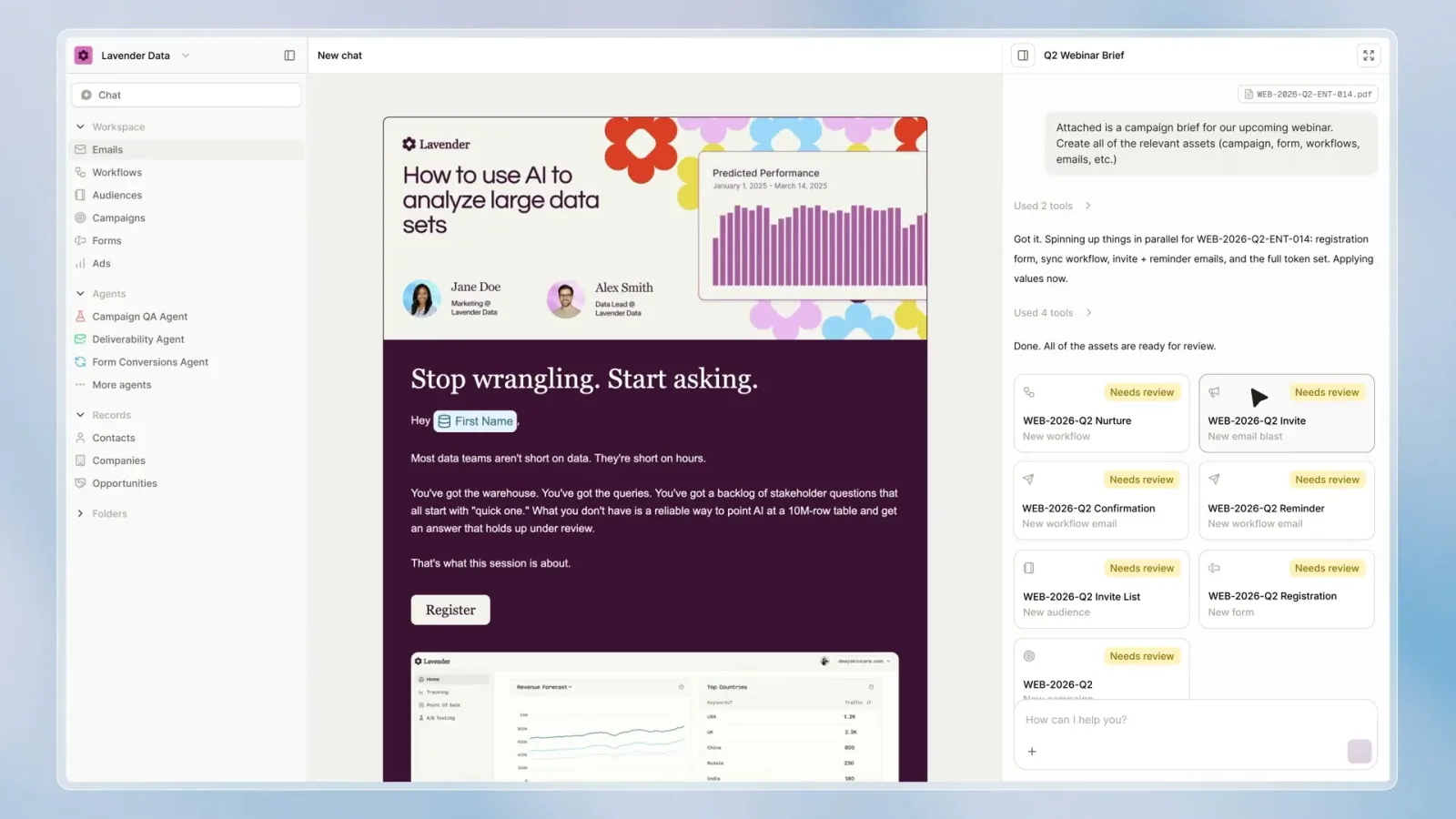
Core functionality: Conversion is the agentic marketing automation platform for enterprise teams. It specializes in bringing all of your data into one universal data model, or context layer, and then running agents that execute the work on top of it. That includes an individual agent on every single account, called a Play, that personalizes each message for everyone in the buying group and logs the reason behind every decision.
Where it shines:
Salesforce sync. Conversion specializes in Salesforce. The sync is two-way for leads, contacts, accounts, and campaign members, and changes made in Conversion reach Salesforce in about 10 seconds on average. Straight from the docs, here’s what makes it so robust:
- Per-field control: every field gets one of five sync modes, so you decide which system wins a conflict.
- No stale overwrites: right before it sends an update, Conversion checks Salesforce for the current version of the record, so it never overwrites a value a rep just changed with an older one.
- Lead or contact first: choose whether new people are created as Salesforce leads or contacts, and auto-link new contacts to existing accounts by email domain for ABM.
- API limit protection: set a Conversion daily limit so it never eats the API budget your other tools need. If you hit it, changes wait in a queue instead of getting dropped.
- Read-only mode and full sync logs: turn off writes while you migrate, and see every inbound and outbound batch, including what was skipped and why.
Opportunities, contact roles, and Salesforce custom objects sync in read-only.
Data warehouse. Once you have the most robust CRM sync, Conversion is also known for its data warehouse sync. You write a simple SQL query against Snowflake, BigQuery, Databricks, Redshift, or ClickHouse, pick a schedule from every 15 minutes to daily, and the data pulls in automatically as contacts, custom objects, or events that can start workflows. No reverse ETL. Those custom objects are first-class, something you can’t easily do in Marketo: they trigger workflows, feed segments, personalize emails through Liquid, and support one-to-one or one-to-many relationships with contacts in a single sync. Because it all lives in one data model, it’s also friendly for AI agents.
AI. Conversion AI handles one-time questions in chat and recurring work through agents. An agent can kick off from a Slack thread, a Linear ticket, a schedule, or a webhook and proactively do work for you, like building a new campaign or an entire webinar. Every tool an agent has is set to auto-approve, require approval, or disabled, so nothing goes live until your team says so. Conversion also connects to external MCP servers, so you can orchestrate an entire system from one agent: have it build something in Figma, upload it to a landing page, and set it all live through GitHub in one view.
Migration. Conversion is known for its deployment strategist model, where you work directly with a dedicated expert focused on migrating as much of your Marketo instance as possible, while agents parse your Smart Campaigns, programs, and tokens. On average a Marketo migration takes about four weeks, and closer to six for larger enterprise teams. People Data Labs spent more than four years in Marketo, mapped a three-to-four-week migration, and built everything in Conversion while Marketo ran in parallel before making the full transition.
Where it falls short: Conversion isn’t built for smaller teams picking their first MAP, and it’s not meant for teams on a smaller CRM like HubSpot. It’s built for enterprise-grade functionality and the more robust use cases. It’s also a younger platform, so in certain cases it may lack some integrations or the long track record of a platform like Marketo, and you won’t find the same pool of certified freelance admins. Warehouse syncs run on a schedule rather than streaming, and pricing isn’t published.
Fit: If your team runs Salesforce, keeps product or billing data in a warehouse, and wants agents doing real work on that data with a review step, shortlist Conversion first. For the full breakdown, see Conversion vs Marketo.
2. Salesforce Marketing Cloud Account Engagement (Pardot): best for teams committed to the Salesforce platform
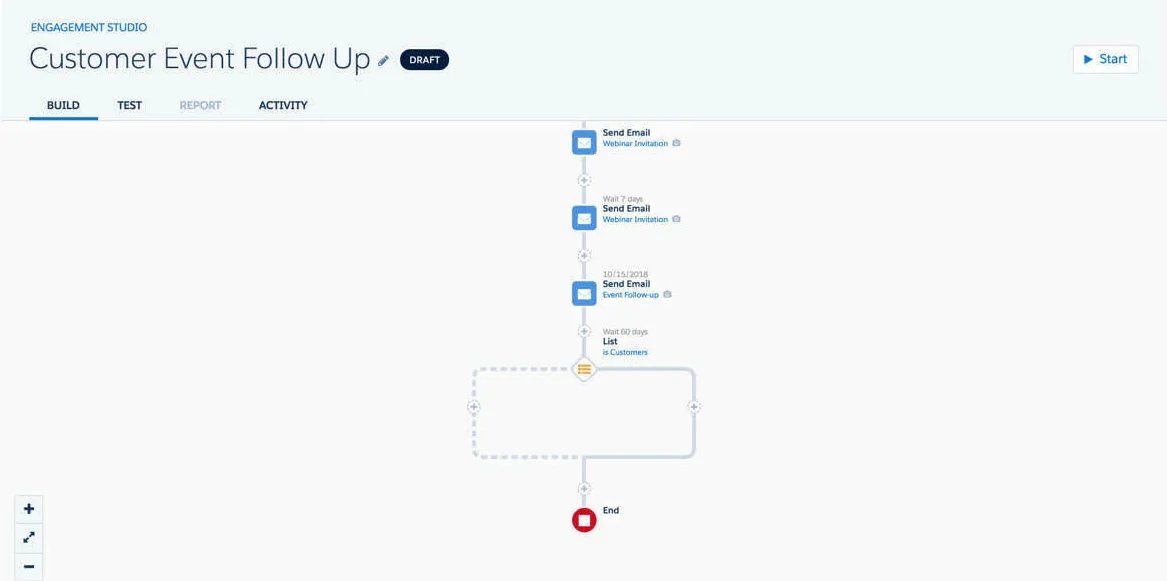
Core functionality: Account Engagement, formerly Pardot, is Salesforce’s B2B marketing automation product. It’s a separate product from Marketing Cloud Engagement, formerly ExactTarget.
Where it shines: The biggest advantage is that the connector is native and already integrated with Salesforce, which makes the CRM sync quite robust. It checks for changes about every two minutes, so sales and marketing see the same records without middleware. It also simplifies a lot of lead scoring and routing, with mature scoring and grading that sales teams already trust, and it removes a lot of the friction Marketo creates there. Agentforce Campaign Creation, which drafts campaigns, emails, and segments from a prompt, is included on every edition.
Where it falls short: Pardot is known to be weak on data flexibility. Its Prospect-centric data model is rigid, and custom object integration isn’t available on Growth, costs $400 a month on Plus, and is only included on Advanced and Premium. There’s no native warehouse connection, so warehouse data reaches the Salesforce stack through Data 360, a second product that runs on consumption credits. A lot of the features you’d expect at enterprise scale, like business units, custom roles, and Einstein scoring, sit in the upper editions. Pricing starts at $1,250 per org per month for Growth+ with 10,000 contacts and runs to $15,000 per month for Premium+ with 75,000 contacts, all on annual contracts.
Fit: If your team wants one vendor across CRM, data, and marketing, and you’ll budget for the upper editions and Data 360 credits, shortlist Account Engagement. For a deeper look, see Conversion vs Pardot.
3. HubSpot Marketing Hub Enterprise: best for teams that want an all-in-one CRM
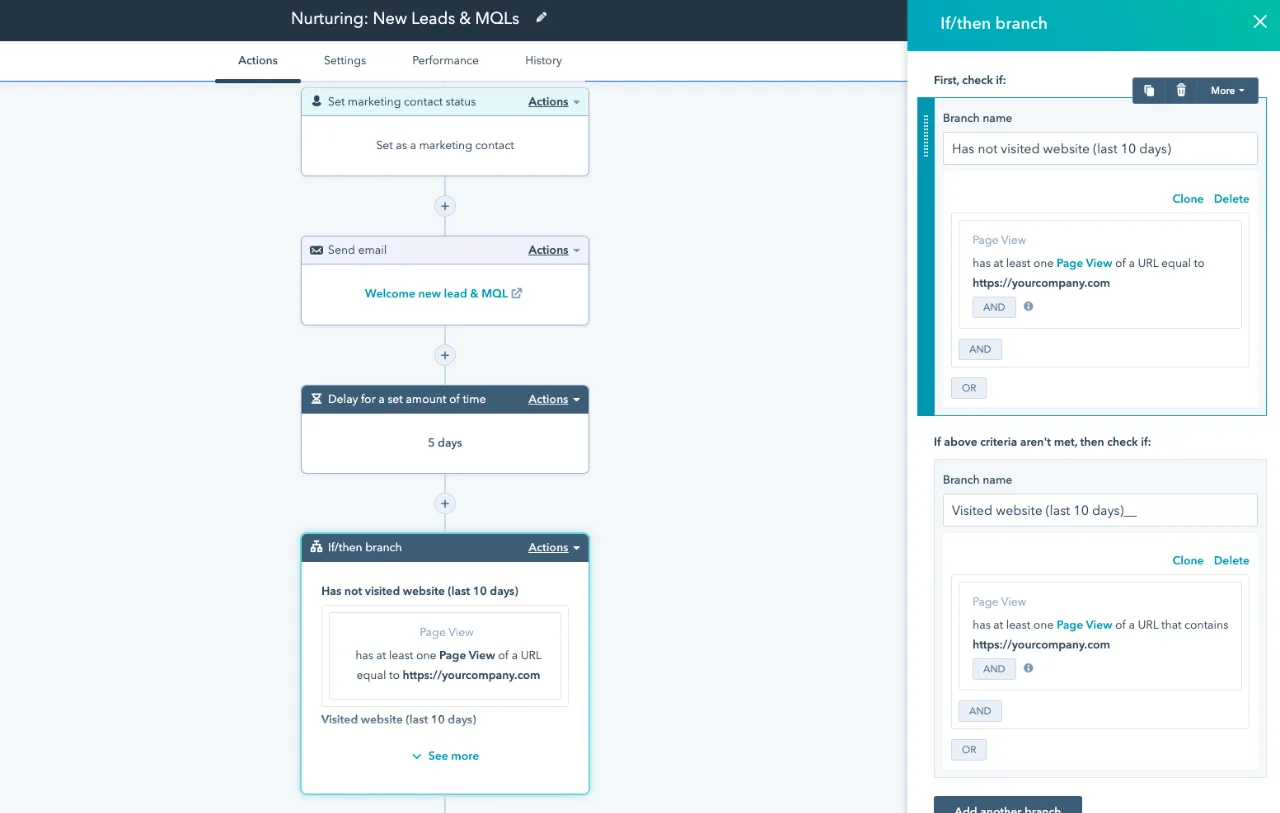
Core functionality: HubSpot is really focused on being an all-in-one CRM and marketing platform. It’s built for a robust HubSpot-to-HubSpot experience, and it works best when marketing and the CRM both run on HubSpot.
Where it shines: The interface is one most marketers learn quickly, and HubSpot has a lot of cool functionality around AI and the new stuff it’s shipping. Breeze agents cover prospecting, data, and customer service, and HubSpot publishes its pricing, which most enterprise MAPs don’t.
Where it falls short: It’s not meant for a Salesforce team. The Salesforce connector is bidirectional, but it checks for updates about every 15 minutes, supports only one connected Salesforce account, and HubSpot’s product catalog describes Salesforce custom object sync as one way into HubSpot. There’s no native Salesforce Campaign syncing with member statuses either. Custom objects are Enterprise-only, capped at 10 definitions and 1 million records, and Snowflake and BigQuery syncs require Data Hub Enterprise, a separate subscription. Several of the newer content, campaign, and nurture agents are still labeled beta. Marketing Hub Enterprise starts at $3,600 per month with five core seats and 10,000 marketing contacts, plus a required $7,000 onboarding fee, billed annually.
Fit: If your team values speed of adoption and is open to HubSpot as the CRM, shortlist HubSpot. If Salesforce is staying, test the sync on your real objects before you sign. See Conversion vs HubSpot for the full comparison.
4. Oracle Eloqua: best for large, governance-heavy programs
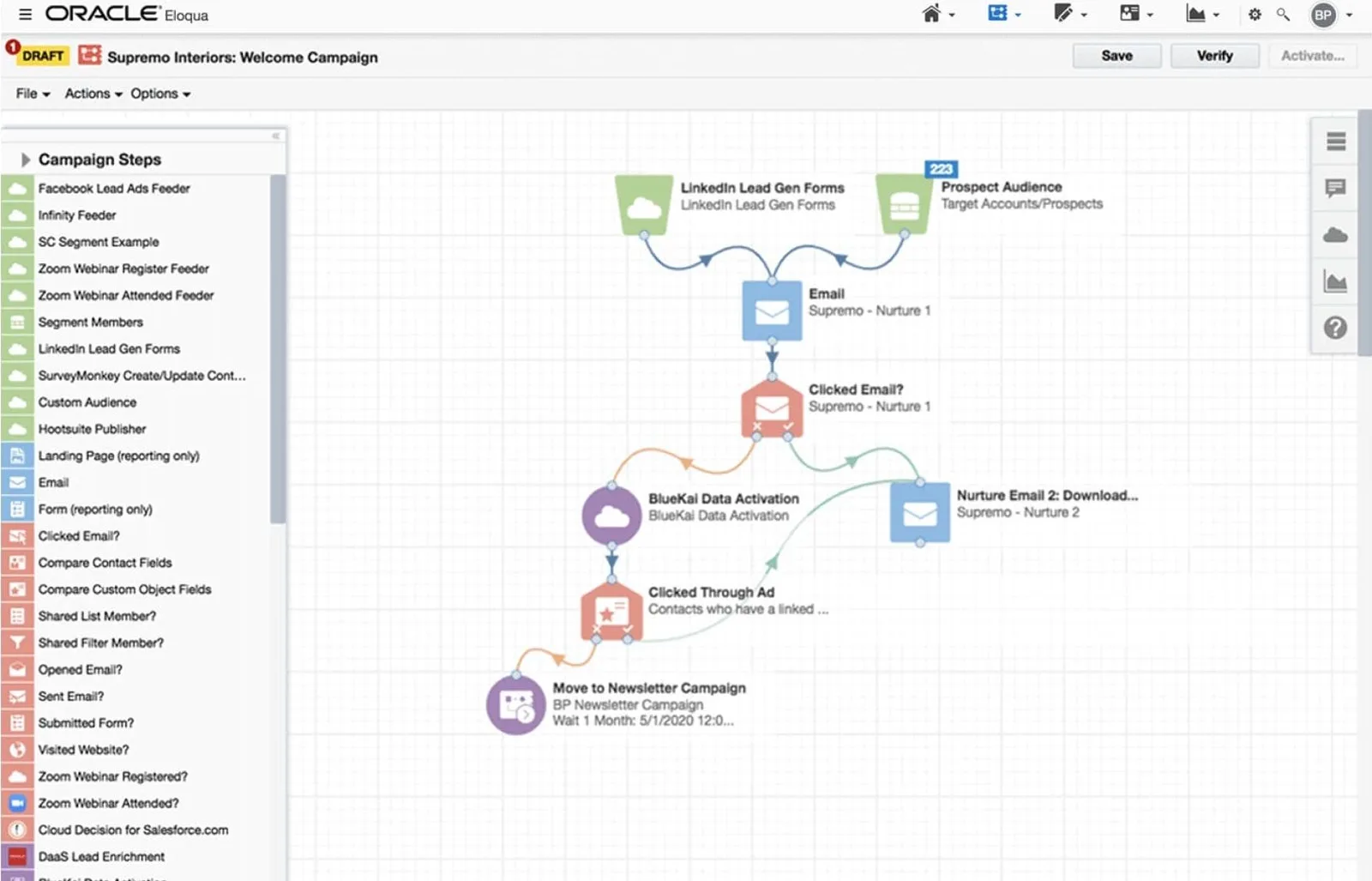
Core functionality: Eloqua is Oracle’s enterprise B2B marketing automation platform, built around a visual Campaign Canvas and Program Canvas plus lead scoring that separates profile fit from engagement. Oracle says it has been named a Leader in Gartner’s Magic Quadrant for B2B Marketing Automation Platforms for 14 consecutive years.
Where it shines: Eloqua is best for super large, governance-heavy programs. It handles complex multi-step orchestration, deep segmentation over very large databases, and granular security groups for global and multi-brand instances, and it has a big certified partner network behind it.
Where it falls short: Eloqua struggles on the net new stuff, and it’s known as a slow incumbent. Its AI drafts email and landing page content, suggests subject lines, and recommends send times, but each of those is a single-step suggestion handed back to a person who’s still doing the work. Oracle also removed the native Salesforce integration in the 25D release, so instances now run on the Salesforce Integration App through Program Canvas, which imports from Salesforce every 15 minutes. There’s no native warehouse connector, so warehouse data comes in through the Bulk API, a reverse ETL tool, or Oracle Unity, which is licensed separately. Creating custom objects at all requires the Standard or Enterprise edition, or the Data Tools add-on. Oracle’s public price list prices Eloqua monthly in contact bands, with Standard at $9,000 per month for 100,000 contacts, and add-ons for extra users, data tools, and security raise the real cost above that.
Fit: If your team runs a large, regulated program and already works inside Oracle CX, shortlist Eloqua. See Conversion vs Eloqua for the full comparison.
5. Microsoft Dynamics 365 Customer Insights – Journeys: best for Dynamics 365 Sales organizations
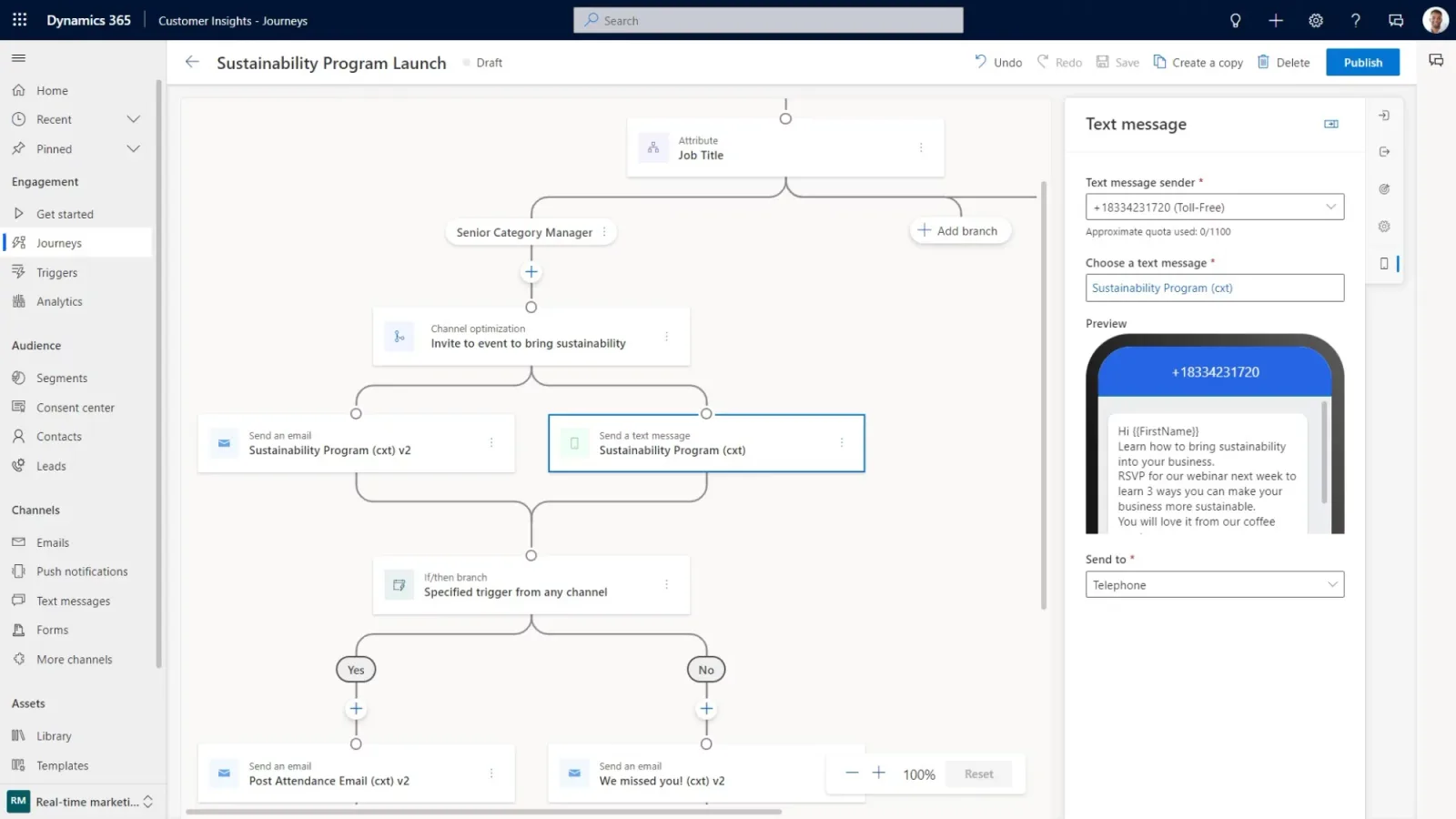
Core functionality: Customer Insights – Journeys is Microsoft’s marketing automation, sold together with the Customer Insights – Data customer data platform and built on Dataverse. It’s a little more focused on the customer data side of things than a classic B2B MAP.
Where it shines: If your data already lives in Microsoft’s stack, Customer Insights – Data attaches to Fabric OneLake and Azure Data Lake Delta tables in place. Pricing is simple to read, at $1,700 per tenant per month, paid yearly, with unlimited users, 100,000 unified people, and 10,000 interacted people. Copilot helps with segments and email content.
Where it falls short: Journeys is designed around Dynamics 365 Sales. We didn’t find a native Salesforce Sales Cloud sync in Microsoft’s documentation, and lead qualification writes to Dataverse lead records, so a Salesforce shop would have to build its own CRM bridge. Other warehouse sources, Snowflake included, go through Power Query, which copies data into Dataverse. Microsoft also removed the outbound marketing module in May 2026, so real-time journeys is now the only engine, and the Journey Creation Agent is still in preview and not meant for production use.
Fit: If your sellers work in Dynamics 365 Sales, shortlist Customer Insights – Journeys. If they work in Salesforce, it’s a hard fit.
6. Braze: best for product-led, cross-channel messaging
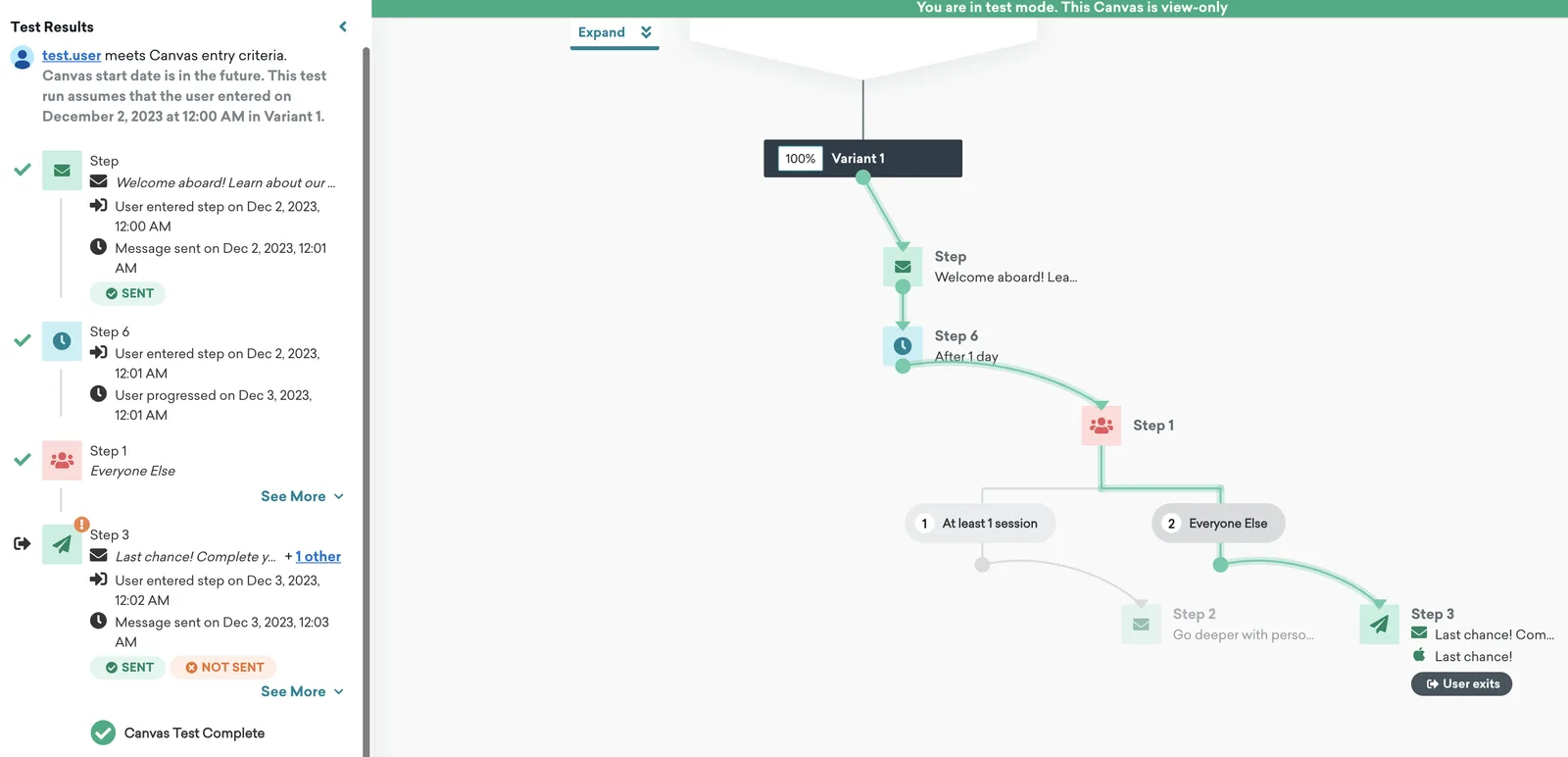
Core functionality: Braze is a customer engagement platform built for real-time messaging across email, push, SMS, and in-app channels. Its roots are in consumer and mobile apps.
Where it shines: Braze is strong on warehouse data. Cloud Data Ingestion syncs from Snowflake, BigQuery, Databricks, Redshift, and Microsoft Fabric as often as every 15 minutes by default, and Connected Sources build segments directly on warehouse tables. Braze announced BrazeAI Operator and Agent Console as generally available in April 2026.
Where it falls short: Salesforce is the gap. Braze’s Sales Cloud guide uses webhooks to create and update leads, marks the integration as community-submitted and not supported by Braze, and points to partners for syncing Salesforce data back. Accounts and opportunities live as supplemental catalogs, and lead scoring and MQL handoff are built by hand. Braze doesn’t publish prices on its pricing page, and cost scales with monthly active users and action credits.
Fit: If your growth motion is product-led and in-app or mobile messaging matters more than lead-to-account workflows, shortlist Braze. Many B2B teams would still need a MAP alongside it.
7. Customer.io: best for event-driven lifecycle messaging
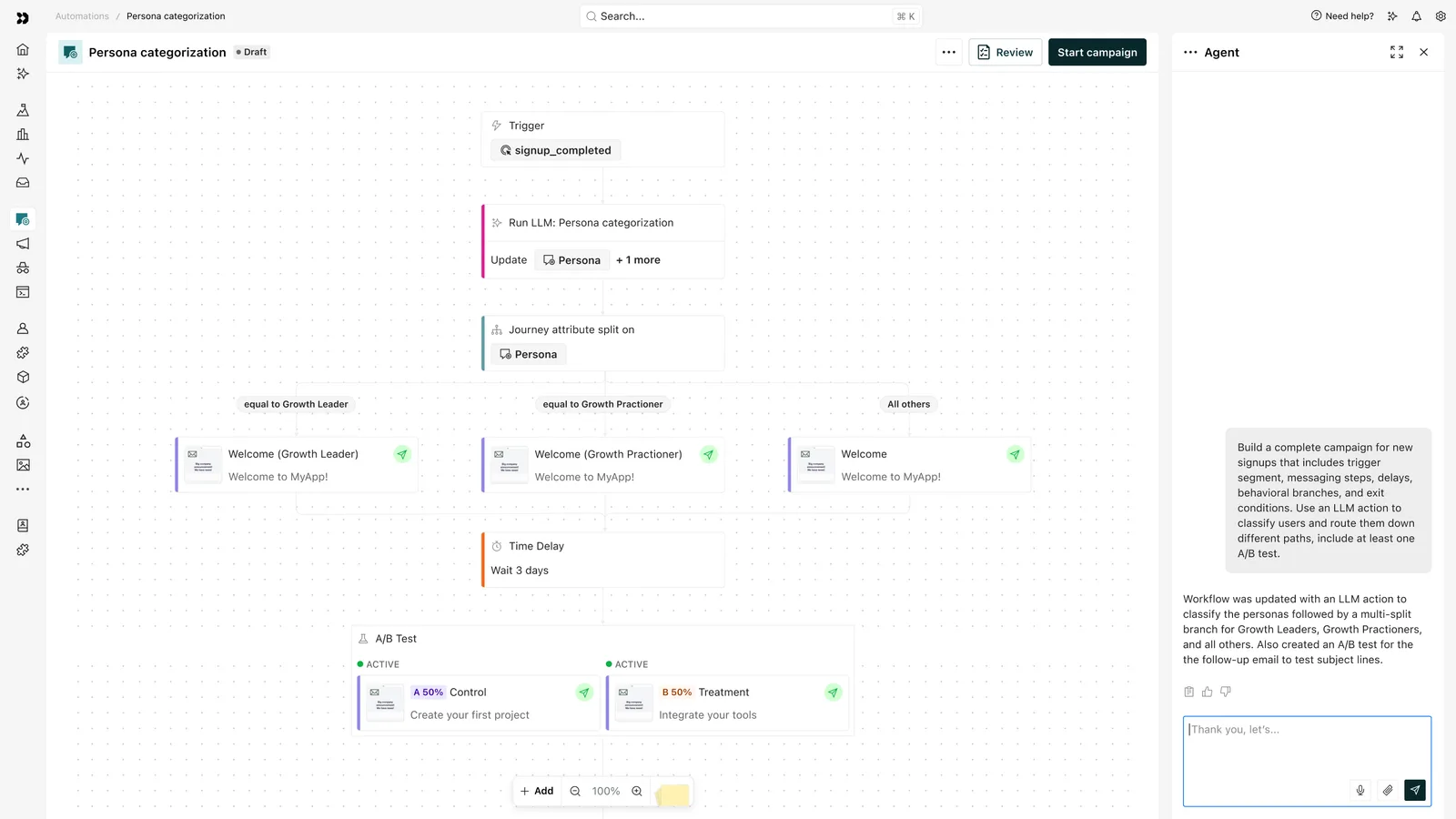
Core functionality: Customer.io is a flexible, developer-friendly messaging platform built for product-led SaaS teams. It’s designed around “user did X, trigger Y” and runs email, SMS, push, in-app, and WhatsApp from one workspace.
Where it shines: Its event-driven data model handles complex behavioral triggers really well, the API and webhook support are strong, and it pulls warehouse data in from Snowflake, BigQuery, Redshift, and more. It also uses Liquid for personalization, so those skills carry over if you ever move. Pricing is published, with Essentials starting at $100 per month for 5,000 profiles and Premium starting at $1,000 per month, billed annually.
Where it falls short: It’s not built for complex B2B Salesforce logic. The native Salesforce integration is newer and only available on Premium and Enterprise, and there’s no native Salesforce Campaign syncing for attribution. There are no native forms or landing pages, no native lead scoring or routing for sales handoff, and setup leans on engineering for event tracking and data flows, so it’s not self-serve for most MOps teams.
Fit: If your team has engineering resources, isn’t running Salesforce, and is focused on product-led messaging, shortlist Customer.io. Once you add Salesforce and need pipeline attribution, it gets harder. See Conversion vs Customer.io.
Where Marketo still fits
Marketo can still be a good choice if your team is entirely embedded in that system and has real fears around migrating to a new tool. Its Salesforce sync is mature, on a roughly five-minute cycle. Native Marketo custom objects can trigger campaigns, Marketo Measure offers multi-touch attribution, and there’s a large market of certified admins and agencies to lean on.
If your data mostly lives in Salesforce, your custom objects fit inside Marketo’s limits, and you have the admin capacity, a renewal may cost less than a migration. There are a lot of cases where switching doesn’t make sense for a team yet. The case for switching grows when warehouse data, Salesforce custom objects, or AI keep forcing workarounds.
For a side-by-side view, see our Conversion vs Marketo comparison.
How to migrate off Marketo without going dark
A Marketo migration fails when campaigns stop, Salesforce reporting breaks, or tracking goes dark. A safe plan keeps Marketo sending until every rebuilt program passes QA.
- Inventory before you rebuild. List active programs, Smart Campaigns, scoring models, tokens, forms, and integrations, and retire what nobody uses.
- Connect Salesforce in read-only mode first. With Conversion, field sync modes and read-only settings let the new platform receive Salesforce updates without writing back until you cut over.
- Rebuild in priority order. Move lead capture, routing, and scoring before evergreen nurtures, and confirm that program statuses map to Salesforce campaign member statuses so attribution history holds.
- Run in parallel, then switch tracking. Replace Munchkin tracking scripts as a coordinated go-live step so web activity data doesn’t drop.
To keep your vendor evaluation consistent, our marketing automation RFP template lays out requirements you can send to every vendor and score side by side. If you want a team to run the whole thing with you, see how Conversion migrates Marketo instances.
The most AI-native MOps teams are choosing Conversion
Marketo can still run a solid nurture program. But the way MOps teams work has changed, and the platform hasn’t kept up. The signals that matter live in your warehouse, your Salesforce objects go way beyond leads and contacts, and the backlog keeps growing faster than any team can hire for it.
Conversion is built for that reality. You get the basics done right, with a robust two-way Salesforce sync, campaigns that work like Marketo programs, and every core MAP feature you rely on today. Then you get the new stuff on top: your warehouse data as first-class objects, agents that build and QA the work for your team to approve, and Plays that put an agent on every contact and account. Teams report a 75% reduction in MOps time on recurring work and a 10x faster path from campaign request to launch, and the average migration takes about four weeks.
If Salesforce is staying, your warehouse holds the signals that matter, and you want agents that do real work your team approves, Conversion is the strongest fit among these Marketo alternatives.
Book a demo and bring a Smart Campaign or a warehouse table your team struggles to use in Marketo today. We’ll rebuild it on your own data during the call.
Frequently asked questions
What is the best Marketo alternative for enterprise B2B teams?
For enterprise teams that run Salesforce and a data warehouse, Conversion is the strongest Marketo alternative because it combines a native two-way Salesforce sync, scheduled SQL syncs from Snowflake, BigQuery, and Databricks, and AI agents that need human approval before changes go live. Teams standardized on Salesforce’s own stack should also evaluate Salesforce Marketing Cloud Account Engagement. Teams willing to move their CRM for ease of use should consider HubSpot Marketing Hub Enterprise.
Is Salesforce Account Engagement (Pardot) better than Marketo for Salesforce users?
Account Engagement’s native connector checks for changes about every two minutes and keeps you on one vendor, which suits teams committed to Salesforce. Marketo’s native custom objects, where purchased, can trigger campaigns. In Account Engagement, custom object integration costs extra on Plus and is included only on Advanced and Premium. Warehouse data goes through Data 360, which uses consumption credits.
Is HubSpot better than Marketo for enterprise teams?
HubSpot Marketing Hub Enterprise is generally easier to learn and publishes its prices, starting at $3,600 per month plus a $7,000 onboarding fee. For teams keeping Salesforce, HubSpot’s connector syncs about every 15 minutes, supports one Salesforce account, and HubSpot’s catalog describes custom object sync as one way into HubSpot. Warehouse syncs require a separate Data Hub Enterprise subscription.
How long does it take to migrate off Marketo?
It depends on instance size and how much logic you rebuild. Conversion reports an average of about four weeks for a Marketo migration, with very large instances closer to six. Keeping Marketo live until each program passes QA matters more than hitting a date.
Should we run Marketo and a new platform in parallel?
Yes, for at least part of the migration. Running both lets you rebuild and test programs against live data while Marketo keeps sending. Connect the new platform to Salesforce in read-only mode first so the two systems don’t compete to update the same fields.
Can a Marketo alternative use Snowflake or BigQuery data without reverse ETL?
Some can. Conversion runs scheduled SQL syncs from Snowflake, BigQuery, Databricks, and Redshift, Braze ingests from the same warehouses through Cloud Data Ingestion, and Customer.io pulls in from Snowflake, BigQuery, and Redshift. HubSpot requires Data Hub Enterprise, and Salesforce Account Engagement reaches warehouse tables through Data 360 Zero Copy.
How do we estimate the total cost of a Marketo alternative beyond licenses?
Add the license tier you’ll actually need to the contact overages, required add-ons, and services. Common extras include HubSpot’s $7,000 onboarding fee and Data Hub subscription, Data 360 credits for Salesforce, Eloqua add-ons for extra users and data tools, and any reverse ETL tool you’d keep paying for. Include the admin hours you spend today on workarounds, because those are the hours a better data model should give back.